2D and 3D, one plan
3D floor plan makerdraw in 2D, walk it in 3D
Draw a plan, generate one from a sentence or rebuild one from a picture, and it stands up in 3D with its furniture. Turn it, cut it open and walk through it, free in the browser.
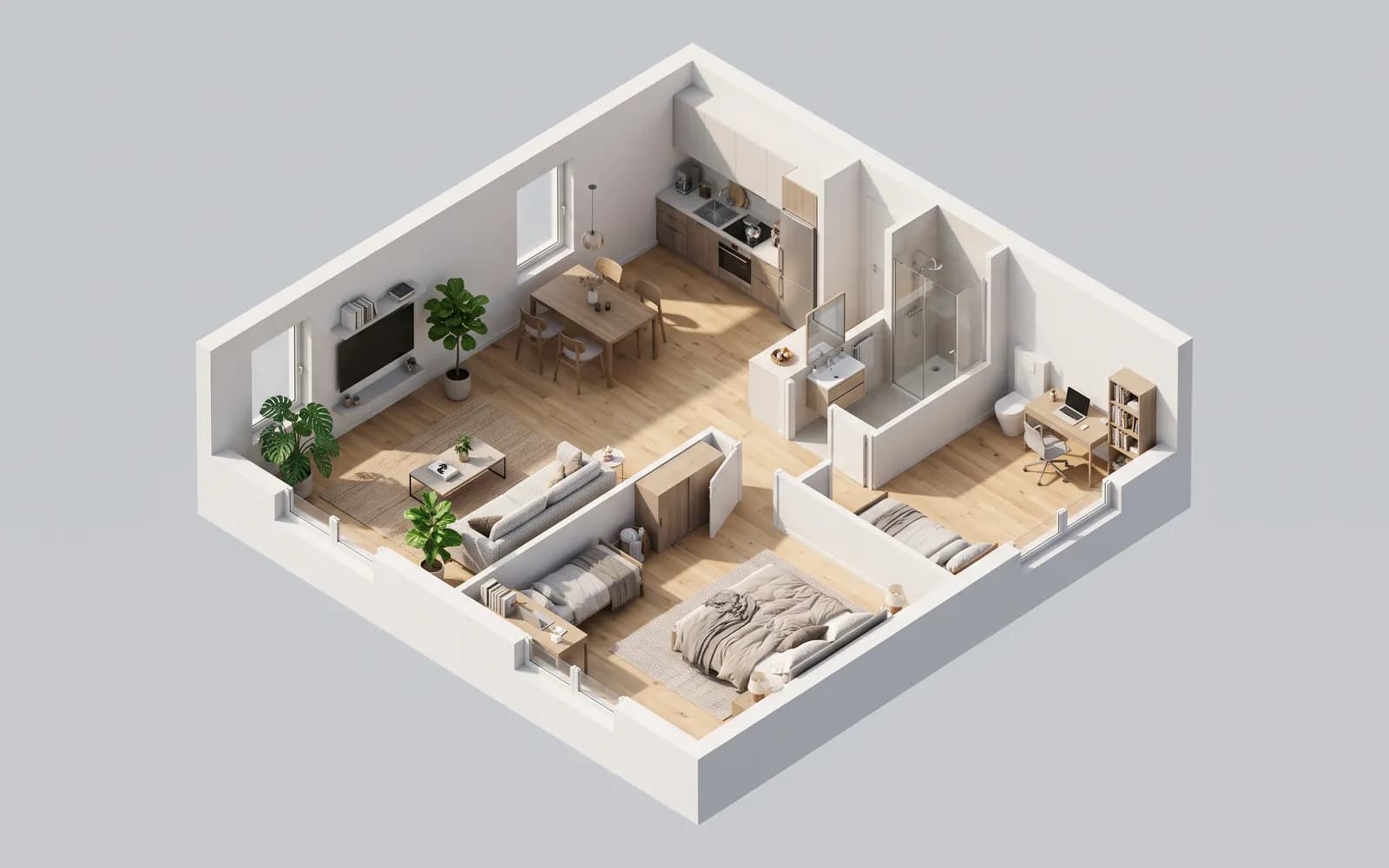
A 3D floor plan maker where 2D and 3D are the same plan
In Loftshape the 3D view is not a separate model you build after the drawing. It is the plan you are working on, standing up beside it and kept in step with every change: move a wall in 2D and it moves in 3D, place a sofa and it is there to look at. Walls get their height, doors and windows their frames, and rooms their floors and furniture in the interior style you chose.
You can look at the whole home from above as a model, cut it open from the front, the side or above to see inside, or double-click a room to see it on its own. Walkthrough puts you inside at eye height: walls and furniture stop you, doors open, lamps light up, and on a home of several floors the stairs take you up to the next one.
The 3D view and Walkthrough are free on every plan, and so are studio renders, pictures drawn straight from the 3D scene without AI. Photoreal renders, where an AI model turns a view you have framed into a photograph, run on credits. Everything runs in a web browser, so there is nothing to install, and a plan can be shared with a client through a view-only link. On the free plan a plan has one floor; Starter allows two, and Homeowner and above as many as the home has.
How it works
- 01
Make the plan
Draw walls with snaps and typed lengths, generate a furnished plan from a sentence at no cost, or rebuild one from a picture of a floor plan for 20 credits.
- 02
See it in 3D
The plan stands up beside the 2D drawing. Pick a look: Model sets the home on its plot on a white page, Architect on white paper with muted colours, Garden on a lawn under the sky.
- 03
Walk through it
Step inside at eye height and go room to room and floor to floor. Doors open, lamps switch on, and evening light and sounds can be turned on or off.
- 04
Take pictures
Save a studio render of any view for free, or frame a shot and render it as a photograph: HD on Starter, and up to 4K from the Homeowner plan.
What people use it for
Feeling a room before it is built
Homeowners walk through a planned extension or a new layout at eye height to see whether the kitchen is too tight, where the light comes in and how far the bedroom is from the stairs.
Showing a client what the plan means
Designers share the plan through a view-only link, so a client who does not read drawings can turn the home in 3D instead of decoding lines on a page.
Checking a home of several floors
Each floor is edited on its own and joined to the next by stairs, and the 3D view shows them all, so you can see how the floors sit on one another and walk up between them.
Pictures for a brochure or a listing
Furnish the plan in a style, frame the views that show it well, and render them as photographs of the plan you drew rather than of a stock room. Each edit to a render is kept as a new picture beside the one it came from.
Questions
/01
Is the 3D floor planner free?
Yes. The 2D editor, the plan generator, the 3D view, Walkthrough and studio renders cost nothing on every plan, and no card is asked for. Photoreal renders and the other AI features run on credits: a new workspace is given 30 once, and paid plans start at $15 a month with 200 credits.
/02
Is there a 3D floor plan app to download?
No. Loftshape runs in a web browser, so there is nothing to install. It does need a connection; there is no offline use.
/03
How do I turn a 2D floor plan into 3D?
Any plan in the studio is already in 3D: draw it or generate it and the 3D view stands it up beside the 2D drawing. If your plan is a picture or a PDF page, rebuild it from the picture first, which uses 20 credits, and it comes up in 3D like any other plan.
/04
Can I walk through my floor plan?
Yes. Walkthrough puts you in the home at eye height. Walls and furniture stop you, doors open and close, lamps light up, and stairs take you between floors; it is free on every plan.
/05
Is a 3D floor plan to scale?
The model is, because it is the same plan as the 2D drawing, drawn in real centimetres. A picture of it is not something to measure from, since perspective makes near things look larger, so take dimensions from the 2D plan.
/06
What is the difference between a studio render and a photoreal render?
A studio render is a picture drawn from the 3D scene itself, without AI, and it is free. A photoreal render sends a view you have framed to an AI model, which returns it as a photograph; it uses 10 credits at HD, 15 at 2K and 25 at 4K.
/07
Can I build from a 3D floor plan made in Loftshape?
No. A 3D floor plan and its renders are for seeing and presenting a design, not construction documents. Loftshape does not check building codes or structure, so a licensed architect or engineer is needed before anything is built.